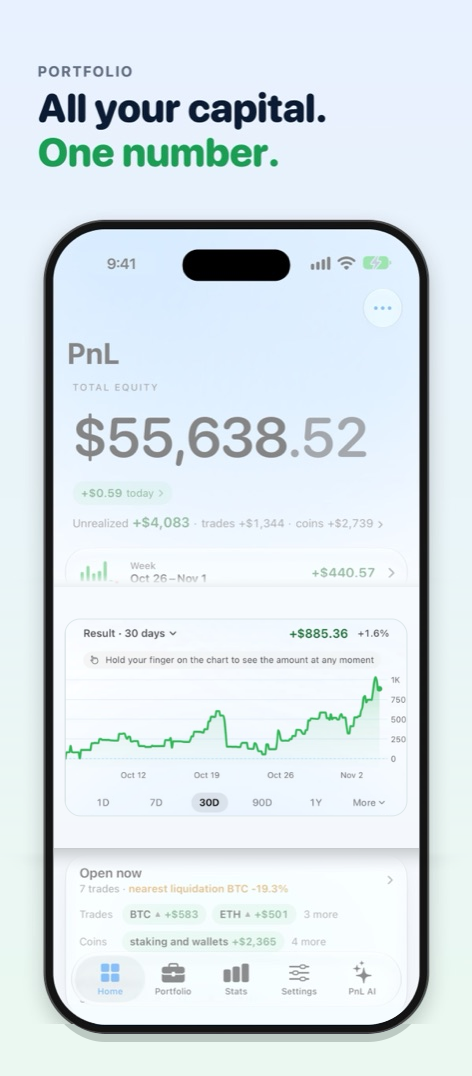
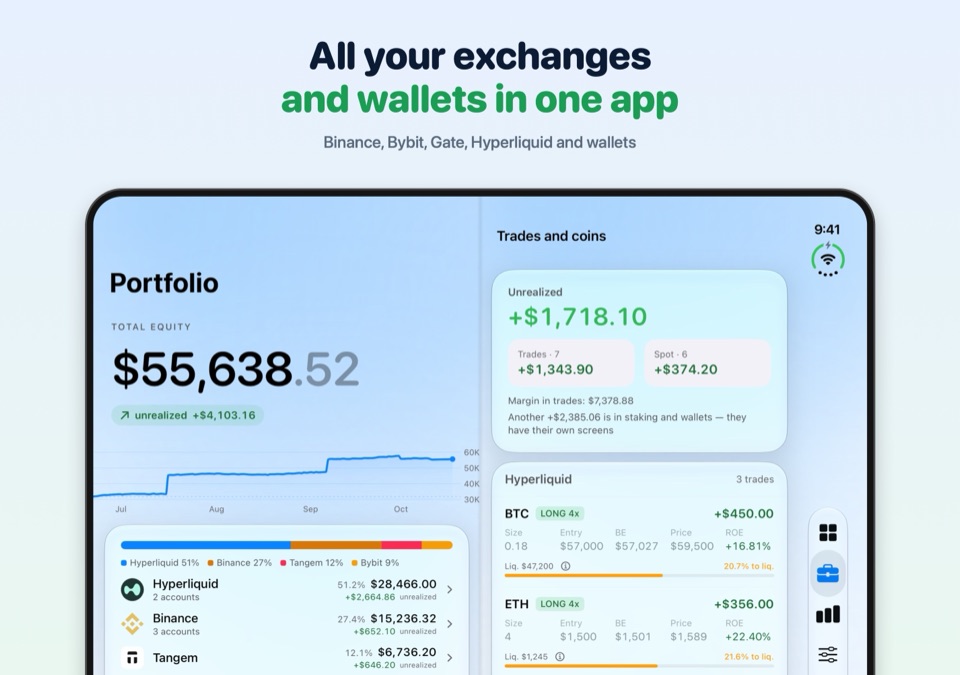
See exchanges, wallets, and staking in one portfolio. PnL separates trading results from deposits and withdrawals, so you can see what you earned after fees.
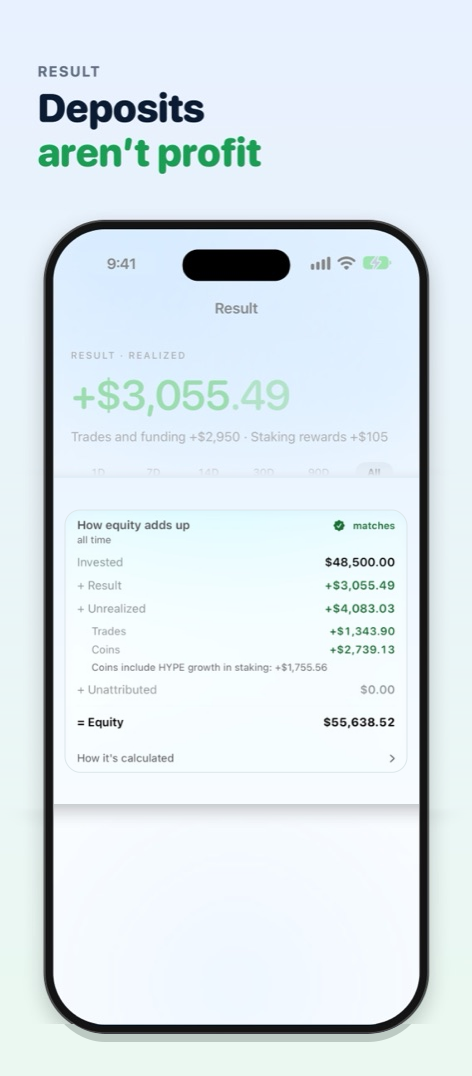
A deposit is not profit. A withdrawal is not a loss.
Show details
“Result” is separate from “Balance”: deposits and withdrawals never distort PnL.
FIFO accounting for spot, with bot trades kept apart from yours: bot profit matches what the bot itself shows. Fees and funding are counted separately.
Data check: see how fresh and complete the numbers are. No data means a dash and a reason, not a made-up zero.
Verified with exchanges: the app compares its numbers with Binance and Bybit data and removes a duplicate itself if a Binance wallet is counted twice. When everything matches and most of your equity is covered, a badge appears on Home; if something doesn’t match, you see where.
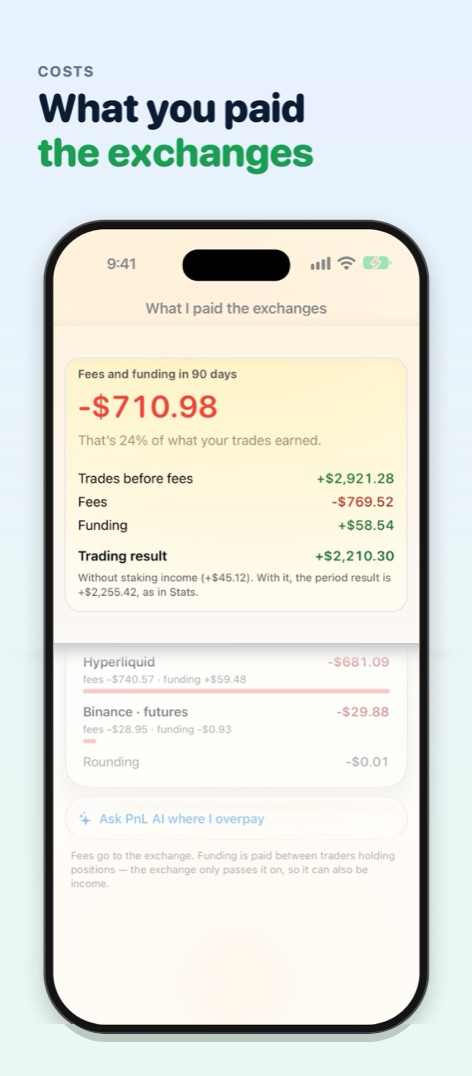
What I paid the exchanges: fees and funding by exchange, and their share of your trading gains.
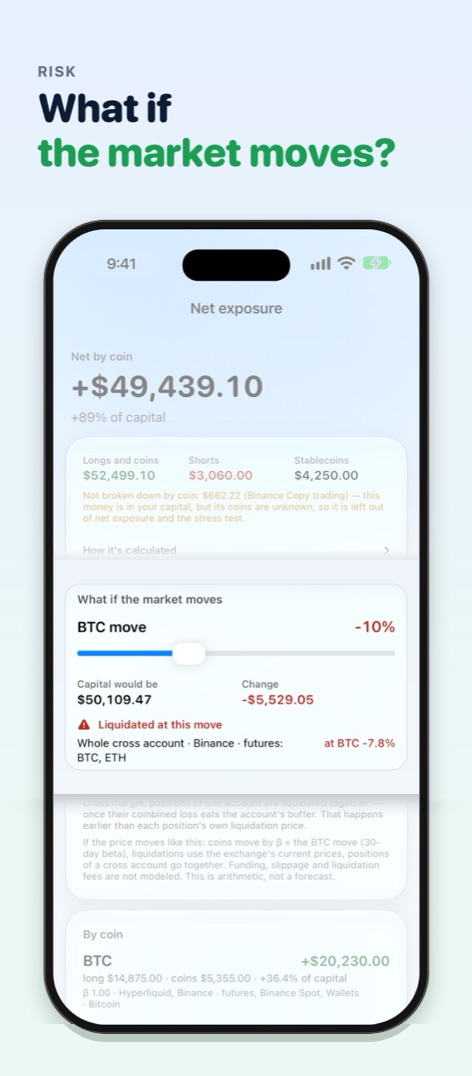
Net exposure: longs, shorts and coins from every venue and wallet, per coin, with hedges visible. “What if the market moves”: capital and liquidations if BTC moves X%; arithmetic, not a forecast.
Found a mismatch? Chat about a problem right in the app: pick where and what’s wrong, optionally attach a data snapshot, and the developer reproduces your numbers. The developer’s reply arrives in the same chat, and leaving a contact for a reply by e-mail or Telegram is optional. How to report a problem.
WALLETS
Counted, not just shown.
A coin in your wallet gets an entry price and uPnL, like a position on an exchange.
Show details
FIFO entry price from your own transfers, and realized PnL when you sell.
Polygon, Arbitrum and Base history - your choice: the explorers of these networks are closed to apps, so you pick the way: “Via the PnL server”, “Your key” (free, Alchemy for Polygon and Base) or “Don’t load history”. How to choose and get a key.
A round trip from Binance is not a trade: coins you withdraw to your own wallet and deposit back to Binance keep their original purchase price there.
Priced by contract address, not by ticker: a fake token with a nice name won't get through.
Tokenized stocks from Ondo, xStocks and Backed are recognized out of the box.
Staking is capital too: staked GRAM in TON pools (including via Tangem), TRON and STRK on Starknet count toward the balance, and Tangem Earn deposits, Binance Earn by coin and Bybit Earn show up. One Staking & yield card on Home: amount, rate where known, and income. All EVM networks can be added at once.
A new address or token counts as a deposit, not profit. Wallets only? Capital history and the widget work too.
Cards next to your exchanges: add a payment card or account and update its balance from a screenshot, recognized on your phone. Spending isn’t counted as a trading loss.
ANALYTICS
See where you make money.
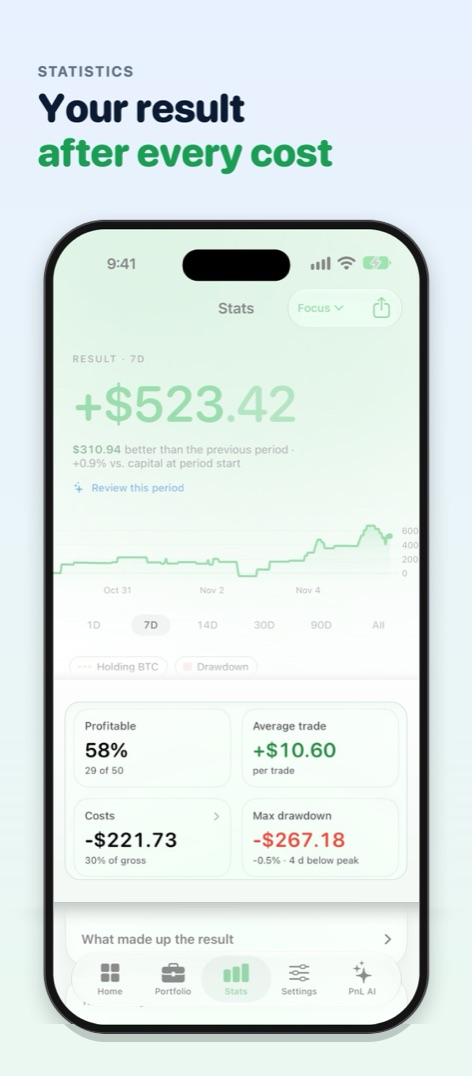
PnL calendar, win rate, profit factor, drawdown and risk, without a wall of numbers.
Show details
Return and drawdown: Stats shows return on capital and max drawdown for any period, six key metrics, What stands out and PnL by week.
Sharpe, Sortino and Calmar: how smooth the result is and what it rests on.
Breakdowns by asset, fees and funding; Long / Short for Hyperliquid, Binance and Bybit; for Hyperliquid also holding time and entry size.
When I’m profitable: a day × hour map and results by trade duration. Plus the asset map.
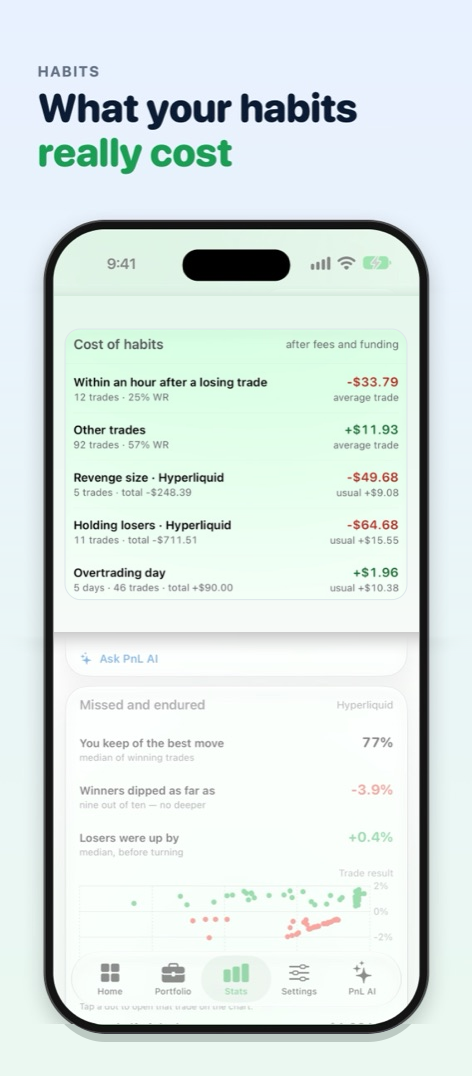
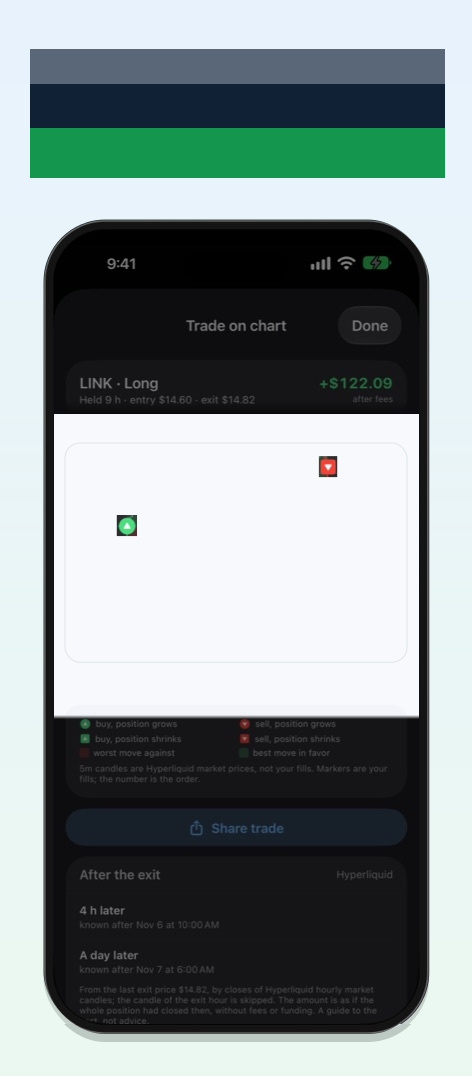
Cost of habits: trades after a loss, losers held too long and overheated days. For Hyperliquid also Missed and endured, Trade on chart with entries and exits on candles, and After the exit: where the price went in the day after you closed. Send a trade as an image with candles using Share trade.
Risk left today: if you set a daily loss limit, Home shows how much of it is used and how much is left. A warning arrives at 80%, not only after the limit is breached. With the app closed, it may come late.
Result in R: Hyperliquid, Binance and Bybit trades measured in the risk to the stop that was in place at entry. A Bybit stop set together with the entry order is seen across the exchange’s available history, and other Binance and Bybit stops are remembered by the app from the day you update. Bot trades on exchanges are not counted in R. Loss beyond the stop shows trades where the stop was moved, removed or slipped through.
Compare with an address: the return of any public Hyperliquid address next to yours, without amounts.
Full Binance history: the app sees all your spot trades, including USDC pairs and coins you have already sold. While the history loads, you see which coins are still being verified instead of an inaccurate number.
Import history (CSV): trades from an exchange or prop firm that isn’t among the connections, from a file. Columns are detected automatically, and the preview shows where each one goes. Fees and funding are counted separately, transfers and bonuses are not trading, and a connected exchange’s history isn’t counted twice. The file is parsed on your device and goes nowhere.
Bots and me: if bots place some of your trades on Binance, Bybit or Gate, Stats shows their result separately from yours, based on the order tag in the exchange’s own data.
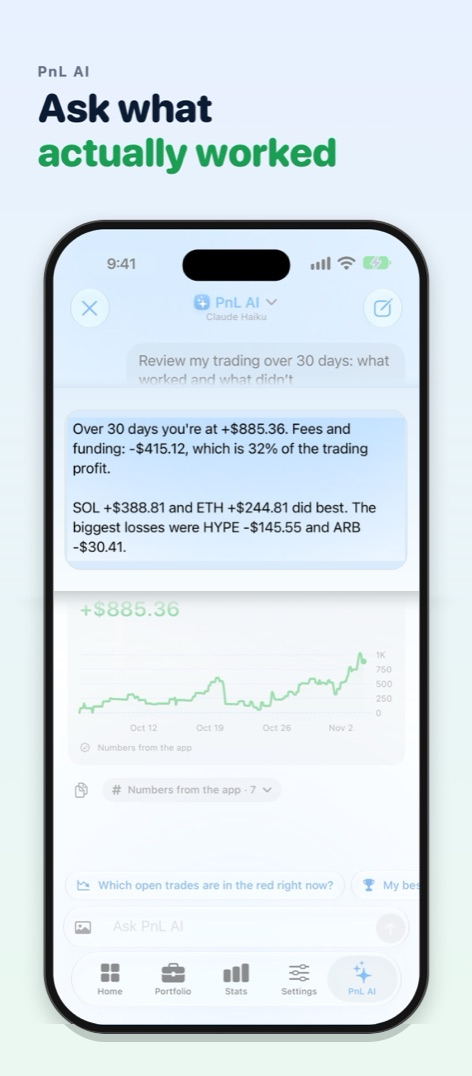
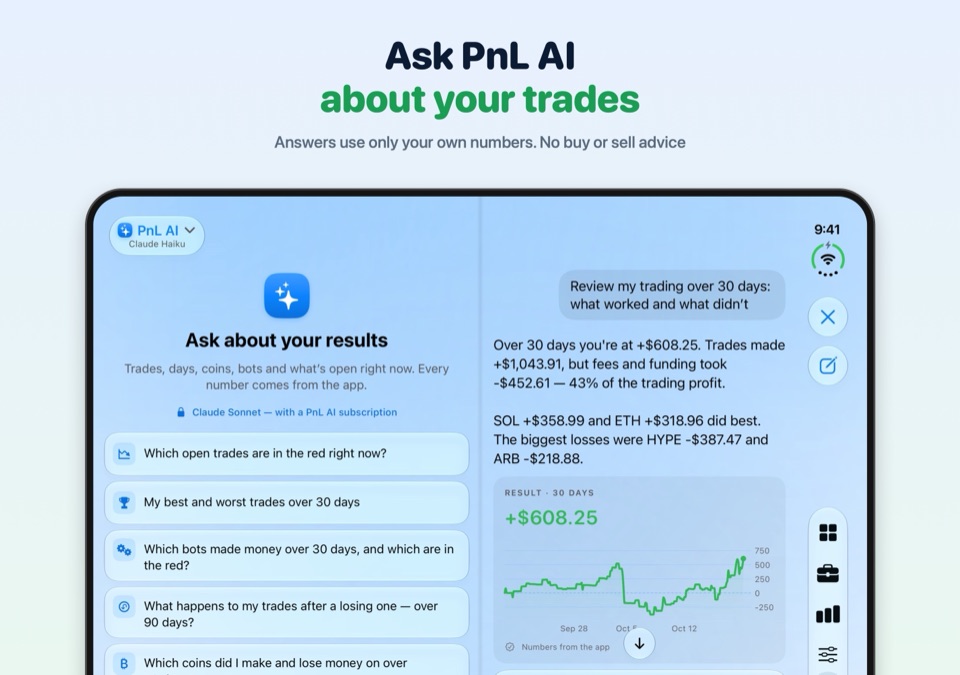
PnL AI has its own tab, free with a weekly limit: ask about your trades, coins, days and bots, like “How much profit did fees eat?” Tap “Ask PnL AI” on a coin, an exchange, staking, a day or a trade, or “Review this period” and “Why did my capital change?”. With nothing connected, it answers general trading questions. The answer comes with your own numbers from the app, with no advice on what to buy. The optional subscription answers with a stronger model, and on a Mac PnL AI works only with a subscription.
For Binance lead traders: your portfolio’s capital over time, split into the whole portfolio, your own money and copiers’ money. Lead vs account: the Binance showcase next to your account, without deposits and withdrawals.
EVERY DAY
Journal, alerts and a result card.
Everything you need next to your portfolio, not in five tabs.
Show details
One clear chart on Home: “Balance” and “Growth” for the period you choose. Slide your finger along it to see the date and amount in large type. Your capital history is complete: switching exchanges or a dropped connection doesn’t break the chart, and stretches when the app was closed are reconstructed from coin prices and marked “≈”. Exchange deposits and withdrawals are found automatically.
“Open now” on Home: open trades and coins as chips with their result, and a nearby liquidation is highlighted. The “Unrealized” total under your capital is large and colored.
Voice journal: a note for a trade and for a day, typed or dictated. Speech is recognized on the device and the audio is never sent anywhere; “Tidy up” lets PnL AI fix punctuation without changing your numbers.
Capital currency: capital and its curves in $, ₿ or €, including the widget and PnL AI answers. Trade results stay in dollars, and Stats shows a “Holding BTC” line next to your curve.
The day starts at 00:00 UTC, like on exchanges: “today”, the calendar and daily stats match Binance and Bybit. The calendar shows each day’s amount and the month total, and a selected day has a Day breakdown of what made it up. Periods like on exchanges: 1D, 7D, 30D, 90D, 1Y and More.
Alerts for targets, cash flows and risk, plus an optional alert on a drawdown from the 30-day peak; uPnL on the Lock Screen and a widget.
Lock Screen widget: your result without deposits and withdrawals for today, 7 days, 30 days or a year, the same numbers as on Home. Percentages by default, so others can’t see amounts; amounts are optional.
Price and liquidation alerts arrive even when the app is closed: your own target on a coin in Market, and warnings when a Hyperliquid position is 10% and 5% from liquidation. The PnL server sees only the coin and the price, with no address or amounts. Binance and Bybit positions are checked by the app itself at the exchange’s own price, while it’s open or iOS wakes it in the background.
Day recap: after the day closes (00:00 UTC), Home shows a short summary: the result, the number of closed trades, the best and the worst coin. You can turn on a reminder in Notifications; it contains no amounts. If you turn it on, PnL AI puts your day recap into words (the first two free, then with the PnL AI subscription). When bots trade, the recap names what they brought in for the day, how many trades they made and how many were in profit.
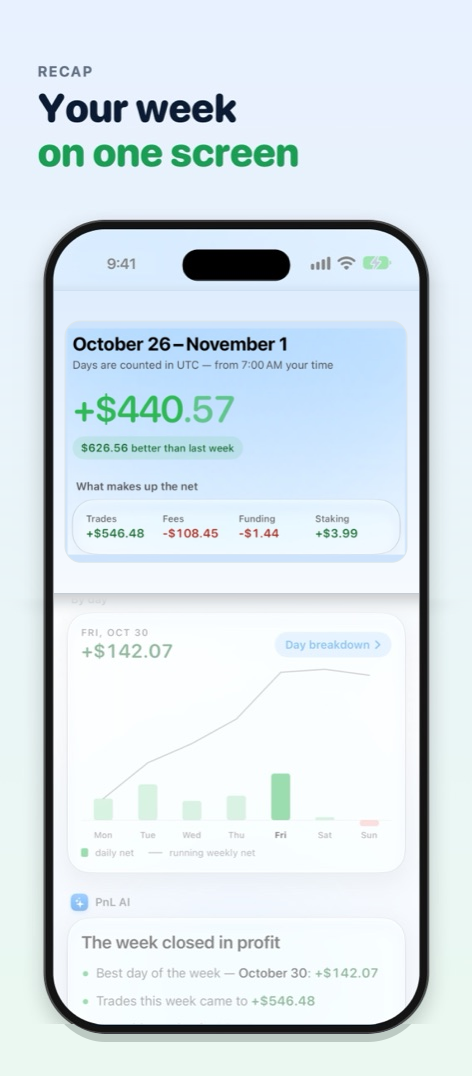
Weekly recap: every Monday on Home, the week’s result and daily bars, plus a couple of observations in words from PnL AI: the first two recaps free, then with the subscription. Every number comes from the app. Share the recap as an image and hide the amounts if you like.
Terminal, Poster and Report cards: you choose the metrics, with or without amounts, for a 4:5 feed post or 9:16 Stories. Optional verification link: the QR code on the card opens a page with its numbers, and Apple confirms the card came from the genuine app.
Presentation mode: demo numbers, so you can show the app without revealing yours.
New dark theme: deep black with a soft glow of the tab’s color at the top, so profit and loss are the brightest things on screen.
Large text and VoiceOver: the app works at the largest text sizes and is fully usable with VoiceOver.
Faster and lighter: tabs switch several times faster, and the app doesn’t recompute what hasn’t changed, so it’s easier on your device.
No dust: hide balances under $1, $10 or $100 from your lists; total equity stays the same.
SCREENS
How it looks.
App screens · demo data
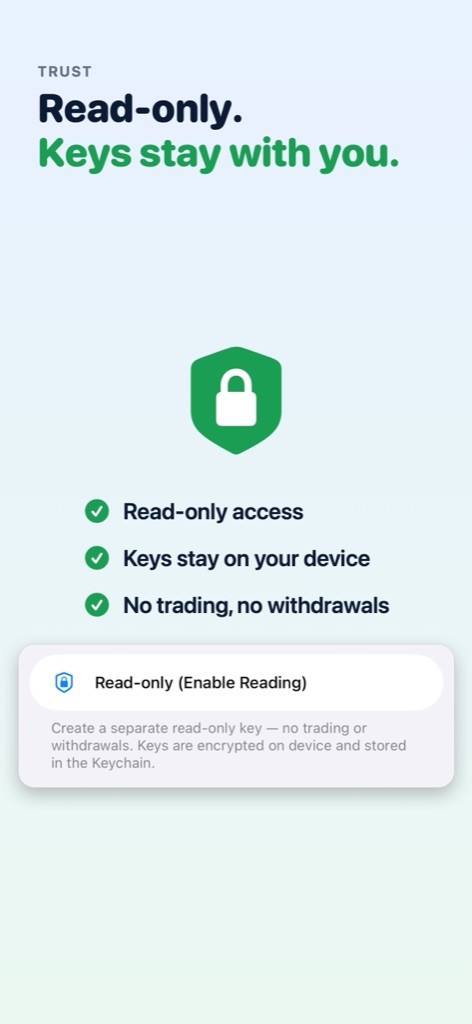
All your capital. One number.Binance, Bybit, Gate, Hyperliquid and wallets.Deposits aren’t profitYour trading result without deposits and withdrawals.Ask what actually workedAnswers use only your own numbers. No buy or sell advice.Your week on one screenEvery Monday: result, best day and fees.Your result after every costAfter fees and funding - plus win rate, average trade and drawdown.What your habits really costTrading right after a loss, holding losers, overtrading - in dollars.Every trade on the chartEntry, exit and the price path in between, candle by candle.What you paid the exchangesFees and funding per exchange and their share of profit.What if the market moves?Your capital after a BTC move across every exchange - and where liquidation hits.Read-only. Keys stay with you.The app can’t trade or withdraw.
Screenshots show demo data. Scroll sideways.
On iPhone Duo
Unfold iPhone Duo and the app becomes a two-page spread split at the fold, each page scrolling on its own: capital on the left, breakdowns and analytics on the right.
Capital on the left, trades on the rightFold it, and the same screen fills the outer display.PnL AI across the spreadSuggested questions on one page, the conversation on the other.
VENUES
Where the numbers come from.
Everything comes together in one picture, split by venue: how much sits where and how much it earned. Several keys for one exchange show up as separate rows. Connecting is step by step: key help, a Paste button and an instant key check after saving.
HyperliquidBy wallet address, no API keys: perps, spot, staking, trades and funding.
dYdXBy dydx1 address, no API keys: positions, trades, funding, deposits and withdrawals. Requests go from your device straight to the dYdX indexer.
BinanceRead-only API key, Earn by coin. The app cannot trade or withdraw, and it flags a key that has those permissions.
BybitRead-only API key, with Bybit Earn and two years of deposits and withdrawals. The app cannot trade or withdraw, and it reminds you before the key expires, with a push too. An expired key is swapped in place with Replace key, and the account’s history stays.
GateRead-only API key. The app cannot trade or withdraw, and it reminds you before the key expires, with a push too.
Other venuesUpload the trade history of any exchange or prop firm as a file: Data → Import history (CSV).
Your exchange keys stay in your device’s Keychain and give PnL read-only access. Your portfolio syncs across devices in encrypted form through your own iCloud.
PnL contacts exchanges and public blockchain APIs directly from your device. The app cannot trade or withdraw funds.
For wallet history on Polygon, Arbitrum, and Base, you can add your own free key, skip the history, or use the PnL server. The server passes the address and network to the explorer and briefly caches the response. It receives nothing until you choose.
Support, AI, and notifications
The PnL server handles support chat, PnL AI, and notifications. Questions, daily recaps, and weekly summaries are processed when you enable those features. The server stores neither questions nor amounts.
Silent notifications wake the app to measure portfolio value. For price and liquidation alerts, the server sees only the coin and price.
Shared result cards
Only result cards that you publish for verification are stored on r.getpnl.app. You can delete them at any time.
Phone only mode
In this mode, the only request the app can send to PnL servers is to delete a previously published card. PnL has no sign-up, analytics, advertising, or tracking.
DOWNLOAD
Now on the App Store. Free tracking.
PnL launched on the App Store on September 24, 2026. All portfolio tracking features are free, and PnL AI is free with a weekly limit; the subscription and tips are optional. For iPhone (including the foldable iPhone Duo) and iPad on iOS 26 or later and for Macs with Apple silicon, in 8 languages.
Subscription and tips - optional
TrackingFree. Every portfolio tracking feature: exchanges, wallets, stats, alerts, widgets. Plus PnL AI on iPhone and iPad: 10 questions a week (if you downloaded PnL before version 1.3.6, 40 a week and 20 a month on the stronger model).
PnL AIMonthly or yearly, first week free. A stronger Claude model: up to 150 questions a month, plus day and weekly recaps in words; then the free plan.
Tip the developerOne-time, as often as you like. Tips unlock no features; they help pay for free PnL AI answers and the server.
The subscription renews automatically unless canceled at least 24 hours before the end of the current period. Manage it in your Apple ID settings.